
How to Record Kick Sets and Drills on a Garmin Swim Watch
Use Drill Log in Pool Swim on a supported Garmin to manually record kick sets, one-arm swimming, and non-standard drill repeats. Start the drill timer before the repeat, stop it at the wall, then select the distance you actually completed.
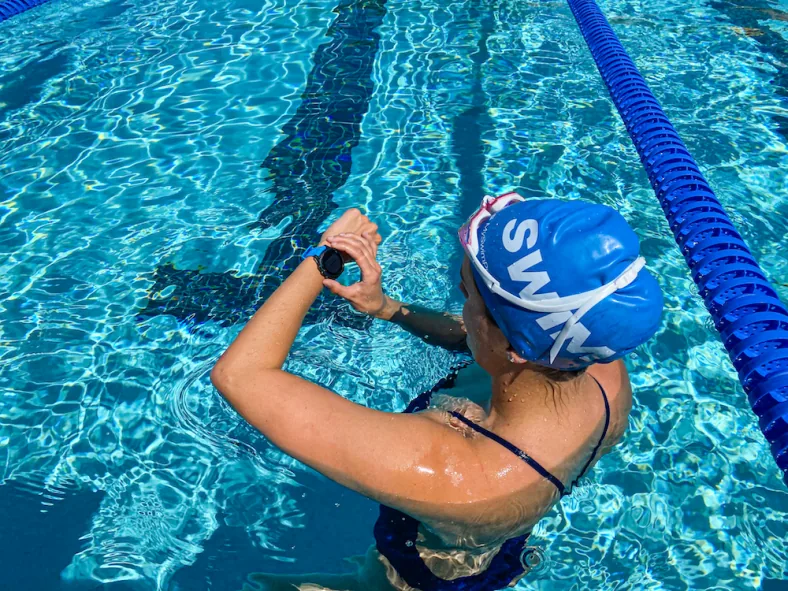
Count the lengths you complete, then enter that distance in Drill Log. Check your model’s button labels first.
Why use Drill Log for kick sets and one-arm drills?
Garmin defines a swimming stroke as a full cycle of the arm wearing the watch. A kickboard repeat or a drill with that arm stationary does not supply the same cycles as normal swimming. The Forerunner 165 manual explicitly directs swimmers to pause the activity timer or use drill logging when doing drills; choose Drill Log when you want to record the drill distance manually.
Decide which repeats are drills before pushing off. This guide covers recording them during a pool activity; for planning the wider session, see our Garmin swim workout guide.
How do I start, stop, and save a drill interval?
The fēnix 7 Standard/Solar/Pro Series manual gives this sequence during a pool swim activity. Keep track of your completed lengths so you can enter the distance at the end.
Is the button always called LAP?
No. The Forerunner 165 manual uses BACK for starting and stopping the drill timer, while UP and DOWN navigate to and from Drill Log. Follow your model’s labels and check the screen you are on before pressing a button: the manual also uses BACK for manual rests outside the drill workflow.
Limitations: these instructions are grounded in the two manuals below, not a test of every Garmin. Verify Drill Log availability, button names, and current behavior in your device manual. Our Garmin swimming watch guide provides broader buying context, but a watch-family name alone does not establish support.
What does switching between swimming and drills look like?
Try this illustrative 300m practice set in a 25m pool if these distances and drills are already comfortable. Use one arm for the first one-arm repeat and the other for the second; the goal here is learning the recording sequence, not chasing a pace.
300m drill-log practice in a 25m pool
An illustrative button-practice set, not a Garmin-authored workout · 300m total
- 100m Easy freestyle — normal tracking — GA1
- 2 × 25m Kick — log each repeat as a drill — TU · Rest 20s between repeats · Arms extended or on a board; kick from the hip with relaxed ankles, then log the completed distance.
- 2 × 25m One-arm — log each repeat as a drill — TU · Rest 20s between repeats · Keep the non-working arm extended and rotate smoothly; log each 25m repeat as a drill.
- 100m Easy freestyle — normal tracking — ReKom
That example contains 200m of ordinary swimming and 100m logged as drills. Use the AquaPlan workout builder to label swim and drill blocks clearly before the session. Planning a labeled block does not establish how a particular watch will execute an imported workout.
Can I enter partial lengths or use Drill Log in open water?
The cited Garmin instructions say Drill Log is only for pool swimming and that distance increments depend on the selected pool size. Do not assume a half-length drill can be entered as an arbitrary distance. For a non-standard pool, verify the pool-size options in your model’s manual before relying on the distance selector.
Frequently Asked Questions
Can I record kickboard lengths with Garmin Drill Log?
Does stopping the drill timer stop the whole swim activity?
Can I use Drill Log in open water or enter any distance?
Which sources support this workflow?
Source evidence checked September 9, 2026: Garmin’s fēnix 7 manual (August 2025 edition) and Forerunner 165 manual (June 2025 edition). This is a manual-based explanation, with an AquaPlan-created example set; no first-hand device testing is claimed.
- Garmin fēnix 7 Standard/Solar/Pro Series manual: Training with the Drill Log
- Garmin Forerunner 165 Series manual: Swimming and drill logging
Automated editorial check (daily-ai-v1): this article was authored using AI and checked through an automated editorial process. No human expert review is claimed.
Article publisher
Published and maintained by AquaPlan. The article above identifies its evidence sources and automated editorial process; no human expert review is claimed.