
Garmin Auto Rest vs Manual Rest for Pool Swimming
Use manual rest for short recoveries and precise swim interval timing; choose Auto Rest for simpler swims with longer pauses when exact boundaries matter less. Our practical recommendation is manual rest for test sets and AquaPlan-written send-offs, subject to your watch’s workout controls.
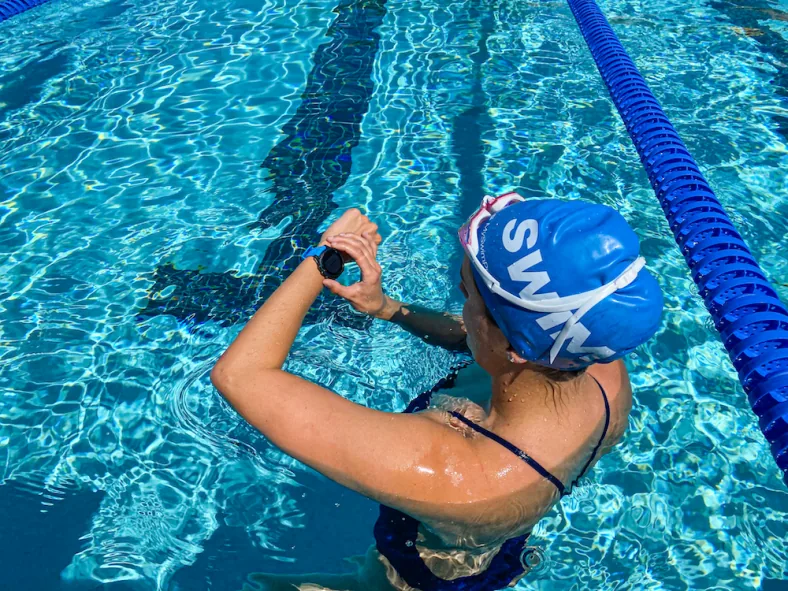
Short recovery or precise interval boundary? Practice your watch’s manual rest control before the set.
Auto Rest or manual rest: which should you choose?
Choose by the session
| At the wall | Auto Rest | Manual rest |
|---|---|---|
| Starting a rest interval | Detected after more than 15 seconds of rest | You mark it with the designated button |
| Short rests or precise interval timing | Not Garmin’s recommended workflow | Recommended in the cited manuals |
| Long, relaxed pauses | Convenient; minimize watch-arm movement | Useful when you want deliberate boundaries |
| Drills and kickboard lengths | Rest detection does not log drill distance | Rest presses do not log drill distance either |
How does Garmin Auto Rest detect a pool rest?
The Forerunner 170 manual says Auto Rest detects resting and displays the rest screen. A rest longer than 15 seconds automatically creates a rest interval; resuming swimming starts a new swim interval. Garmin recommends minimizing arm movement while resting for best results.
The fēnix 8 Series manual gives the same guidance and recommends manual rests for short rests or very precise swim interval timing. Both manuals limit Auto Rest to pool swimming. This supports a recording choice, not a promise of identical behavior across all Garmin watches or software versions.
When should I press the lap or rest button?
Choose manual rest when the boundary between swimming and resting matters. Garmin documents turning Auto Rest off in the activity options and marking rests with the designated button; swim data is not recorded during a rest interval.
Which rest mode fits short repeats, easy swimming, and drills?
These are AquaPlan-created examples of recording decisions, not Garmin test results or complete training sessions. Choose distances you already swim comfortably.
Short-rest example: 10 × 100m
Illustrative recording practice — 15 seconds after each repeat · 1000m total
- 10 × 100m Steady freestyle — GA1 · Rest 15s between repeats
Choose manual rest. A 15-second recovery does not meet the documented “more than 15 seconds” threshold. Mark arrival, take the prescribed recovery, and resume recording before you leave.
Easy example: 6 × 200m
Illustrative recording practice — longer wall rests · 1200m total
- 6 × 200m Easy freestyle — GA1 · Rest 40s between repeats
Auto Rest is a reasonable convenience choice. The planned 40-second pause exceeds the documented threshold; keep your watch arm quiet. Choose manual rest instead if you intend to compare each repeat’s swim time closely.
Mixed drill example: 200m
Illustrative recording practice — separate swimming from drills · 200m total
- 50m Easy freestyle — GA1 · Rest 20s
- 2 × 25m Kick drill — TU · Rest 20s between repeats
- 2 × 25m One-arm drill — TU · Rest 20s between repeats
- 50m Easy freestyle — GA1
Use the separate drill workflow. Rest detection does not record drill distance. The manual directs swimmers to pause the activity timer or use Drill Log for drills.
Use the documented Drill Log controls for kick and one-arm repeats. See the Garmin Drill Log guide for the separate drill-timer and distance-entry sequence.
Does an AquaPlan send-off change the rest workflow?
A send-off specifies departure spacing, while a rest specifies time after arrival. For example, arriving in 1:45 on a 2:00 departure cycle leaves 15 seconds; arriving in 1:50 leaves 10 seconds. Manual rest is our recommendation when those boundaries are central to the session.
Write the intended rest or departure rule clearly in the AquaPlan workout builder . Before transferring it, consult the Garmin export guide and check the workout on your watch. These swimming-manual pages do not establish how Auto Rest interacts with every imported workout step; follow the active workout’s prompts rather than assuming a lap press always has the same effect.
AquaPlan’s recommendation
Use manual rest when the interval boundary matters.
Choose deliberate button presses for short recoveries, tests, and tightly timed sets. Auto Rest can simplify relaxed pool swims with longer pauses. Check the separate controls for drills and imported workouts on your watch.
Frequently Asked Questions
Is exactly 15 seconds enough for Garmin Auto Rest?
Does Garmin record swim data during manual rest?
Can I use Auto Rest for open-water swimming?
Which models and sources does this advice cover?
Sources checked September 11, 2026: the Forerunner 170 manual, May 2026 edition, and fēnix 8 Series manual, June 2026 edition. Limitations: this is a manual-based explanation, not first-hand testing; button labels, available settings, and structured-workout behavior require confirmation for your model and software.
Automated editorial check (daily-ai-v1): this article was authored using AI and checked through an automated editorial process. No human expert review is claimed.
Article publisher
Published and maintained by AquaPlan. The article above identifies its evidence sources and automated editorial process; no human expert review is claimed.