
How do Garmin pool swim pace alerts work?
A Garmin pool swim pace alert cues when you should turn at the wall: on the Swim 2, 2:00 per 100m in a 25m pool produces a cue every 30 seconds. It marks target length timing, rather than building a complete workout.
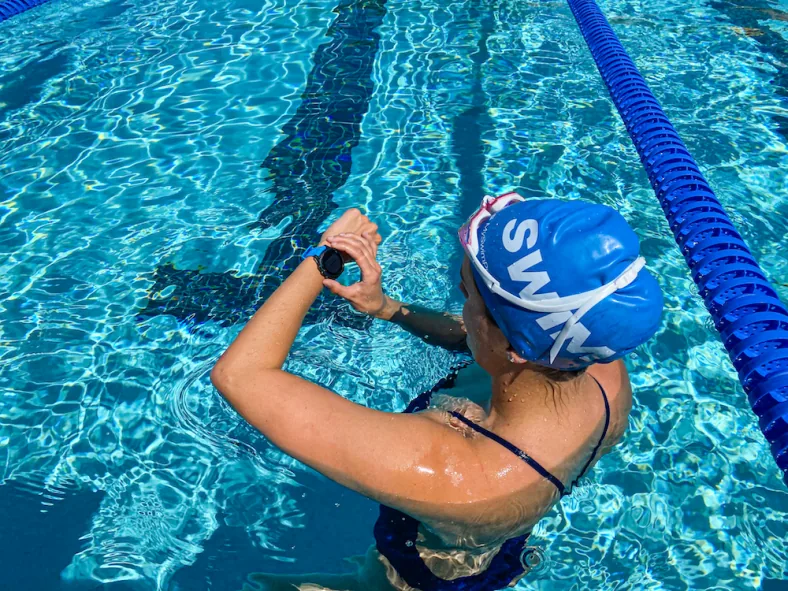
Check pool length and pace units before starting. Contextual image; not a Swim 2 screen demonstration.
What does the pace alert actually measure?
The alert supplies a target schedule for turns. Hearing it does not prove you have completed a length: Garmin describes when you should turn, not a notification that you have arrived. Use your position relative to the wall to interpret the cue.
How do I set a pace alert on Garmin Swim 2?
Use the Pool Swim activity’s Pacing alert. These are the documented Swim 2 controls; check your own model’s manual if its menus differ.
Garmin recommends using the LAP key for rests instead of Auto Rest with pace alerts because precise interval timing matters. See the manual rest and Auto Rest guide for that separate recording decision.
Why does 2:00 per 100m beep every 30 seconds?
There are four 25m lengths in 100m, so 120 seconds divided by four gives 30 seconds per length. Garmin uses this exact example. The following 50m comparison is arithmetic using the same target, not a device test.
Same pace, different pool
| Timing calculation | 25m pool | 50m pool |
|---|---|---|
| Target pace | 2:00 per 100m | 2:00 per 100m |
| Lengths per 100m | 4 | 2 |
| Time per length | 120 ÷ 4 = 30 seconds | 120 ÷ 2 = 60 seconds |
The formula is target seconds per 100 multiplied by pool length divided by 100, with matching distance units. At 1:40 per 100m, a 25m length takes 25 seconds. At 2:00 per 100yd in a 25yd pool, it takes 30 seconds; that is a yard-based target, not the same speed as 2:00 per 100m. Use the swim pace calculator guide for more conversions.
When should I use pacing, distance alerts, or a workout?
Garmin lists Time, Distance, Pacing, and Stroke Rate as separate recurring alert options. Its distance example is every four lengths, or 100m in a 25m pool. A distance milestone and a scheduled turn cue answer different questions.
AquaPlan’s workflow recommendation
| Your aim | Use this | Why it fits |
|---|---|---|
| Steady repeats at one pace | Pace alert | A target cue for each wall turn |
| Long continuous swim | Distance alert | Milestones as recorded distance accumulates |
| Several distances and rests | Structured workout | Keep the sequence and step targets together |
| Precise swim/rest boundaries | Manual LAP timing | Mark the interval deliberately; also use with pacing |
A swimming stroke-rate alert concerns arm-cycle cadence, not seconds per pool length. A tempo trainer used as a swimming cadence metronome cues a movement rhythm; do not interpret a 30-second wall cue that way. The cited recurring-alert page does not establish that Garmin’s cadence option behaves like a dedicated metronome.
A send-off is departure-to-departure timing: a 2:15 send-off after a 2:00 swim leaves 15 seconds at the wall. A 2:00-per-100m pace alert does not itself prescribe those 15 seconds. Write pace and rest or departure rules separately in the AquaPlan workout builder . For multiple steps, consult the Garmin workout export guide and verify compatibility and the transferred steps on your watch.
Can I change or mute the alert during a swim?
Yes. On Swim 2, hold UP, select Pacing Alert, and use UP or DOWN to adjust the pace, then confirm the selection; the updated pace time appears. To mute it, hold UP and select Mute Pacing Alert. Make adjustments while stopped at the wall.
If you see a message but do not hear a cue, check the device sound settings. Garmin’s recurring-alert instructions say a message appears at the alert value and describe beeps or vibration when audible tones are enabled. They do not guarantee that every swimmer will hear every cue underwater.
Which workflow to choose
Use pacing for the wall cue; use a workout for the sequence.
Choose a pace alert when a consistent length time is the main task. Choose distance alerts for milestones, and a structured workout for changing steps. For Swim 2 pacing, follow Garmin’s recommendation to mark rests manually with LAP.
Frequently Asked Questions
Does a Garmin pool pace alert tell me when I should turn?
Should I use Auto Rest with a pace alert?
Does changing pool length change the cue frequency?
Which Garmin sources were checked?
Sources checked September 26, 2026: the three Garmin Swim 2 manual pages below. Limitations: this is a source-based explanation, not first-hand testing. The evidence does not establish identical menus on other watches, imported-workout interactions, or real-world cue audibility. Timing calculations are illustrative, not performance claims.
- Garmin Swim 2 manual: Setting a Swim Pace Alert
- Garmin Swim 2 manual: Setting a Recurring Alert
- Garmin Swim 2 manual: Editing a Pace Alert During Pool Swimming
Automated editorial check (daily-ai-v1): this article was authored using AI and checked through an automated editorial process. No human expert review is claimed.
Article publisher
Published and maintained by AquaPlan. The article above identifies its evidence sources and automated editorial process; no human expert review is claimed.